
Chapter 3. Getting Started
Abstract
Find the dashboard, gather what you need from AdSense, enter your Ad Client ID, and learn to read the Status panel that tells you when something needs your attention.
Finding the Dashboard
Go to → . This opens the CLS Ad Slot dashboard, a page of panels that shows you at a glance whether everything is set up.
Figure 3.1. The CLS Ad Slot dashboard
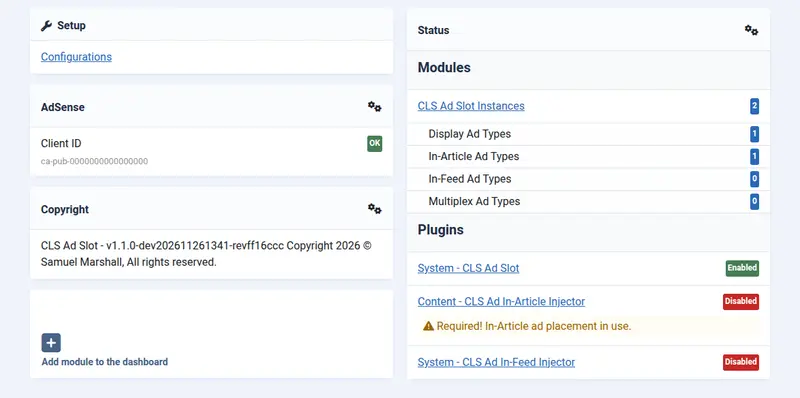
the section called “The Dashboard” describes each panel in detail.
On This Page