
How JCH SwiftSlider Works
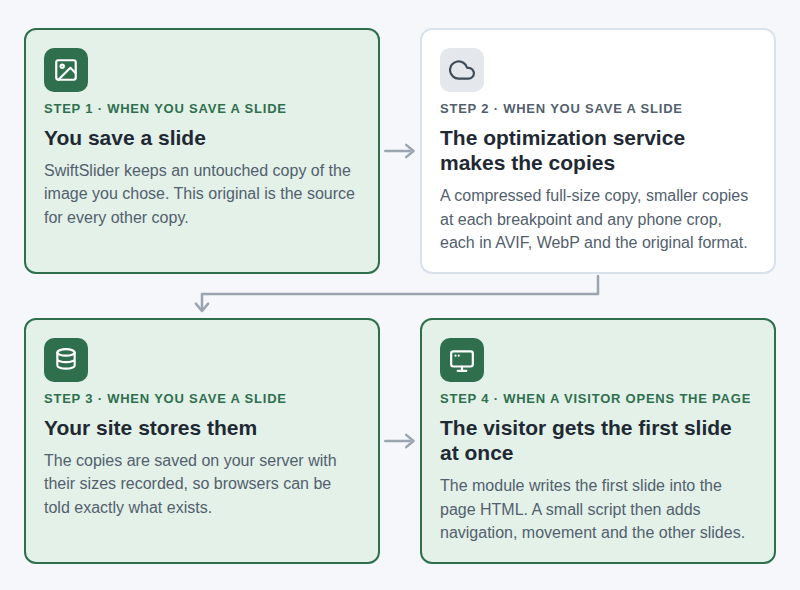
SwiftSlider does most of its work when you save a slide, so that very little is left to do when a visitor opens the page:
-
SwiftSlider keeps a copy of the image you chose, untouched. This original is the source for everything else, so images never lose quality by being optimized twice.
-
It sends the image to the JCH Optimize Image Optimization service, which returns a compressed copy at full size, smaller copies at each of your breakpoints, and, if your slide uses one, a phone-shaped crop. Each copy comes in AVIF and WebP as well as the original format.
-
It saves these files on your server and records their sizes, so it can tell visitors' browsers exactly which files exist and how large they are.
When a visitor opens the page, the JCH SwiftSlider module writes the slider into the page's HTML with all of this information, and a small script then adds navigation, movement and the loading of the other slides.
If a slide's image can't be optimized, for example because your Download ID hasn't been entered yet, the slide still works: visitors receive your original image until it is optimized.
On This Page