
Measuring the Result
To see how your slider affects a page, test the page in Google's PageSpeed Insights:
-
The Discover what your real users are experiencing section shows the Core Web Vitals measured on your visitors' devices over the last 28 days, if your site has enough traffic.
-
The Diagnose performance issues section is a single test run. Under Insights, open LCP breakdown to see which element was the largest and how its loading time was spent. For a page with a slider at the top, it should be the first slide's image.
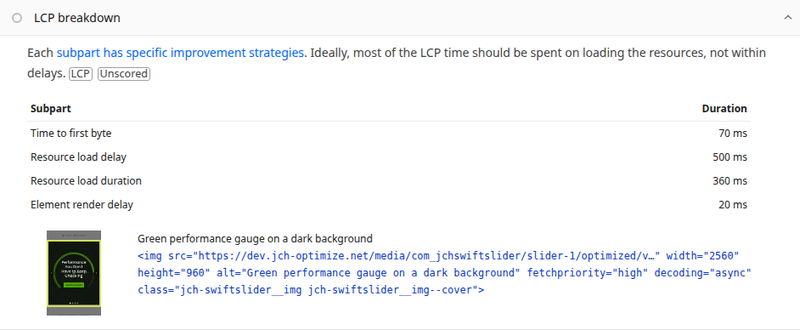
Test results vary from run to run. Compare several runs before and after a change rather than a single one, and trust your real visitors' numbers over any single test.
On This Page