
Exclude Pages from Optimization
If a particular page or section of your site works better without JCH Optimize, for example a page builder's preview, a checkout page with a payment form, or a members' area, exclude it.
-
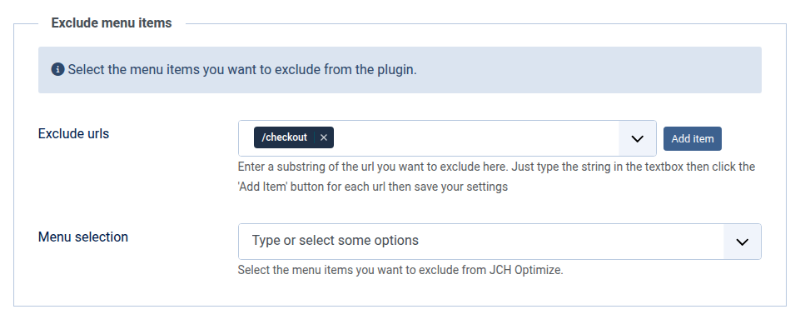
On the settings page, open the General tab and find the Exclude menu items section.
-
In Exclude urls, type part of the address of the pages to exclude, for example
/checkout, and click . Every page whose address contains it is excluded. -
Joomla On Joomla, you can instead choose menu items in Menu selection.
-
Save.
Joomla

WordPress
Excluded pages are neither optimized nor cached. To keep optimizing a page but not cache it, exclude it on the Page Cache tab instead; see the section called “Step 7: Page Caching”.
On This Page