
Use JCH Optimize with Cloudflare Pro
If your site is behind Cloudflare, Cloudflare may keep copies of your pages and files. JCH Optimize can tell Cloudflare to clear its cache whenever JCH Optimize clears its own, so visitors never get out-of-date copies.
Clearing JCH Optimize's whole cache clears everything Cloudflare keeps for the site. When JCH Optimize removes only some pages, for example pages you delete on the page cache page, pages whose cache has expired, or pages that use a combined file that has expired, it clears just those pages at Cloudflare.
Note
This only clears Cloudflare's cache. It doesn't change any other Cloudflare setting.
-
In your Cloudflare dashboard, open your profile's API Tokens page and create a custom token with the Zone, Cache Purge, Purge permission, for the zone (domain) of this site. Copy the token.
-
On your domain's overview page in Cloudflare, copy the Zone ID.
-
On the JCH Optimize settings page, Page Cache tab, Cloudflare Cache Purge Integration section, set Enable Cloudflare Purge to Yes.
-
Paste the token into API Bearer Token and the zone ID into Zone ID, then save. The token is checked when you enter it.
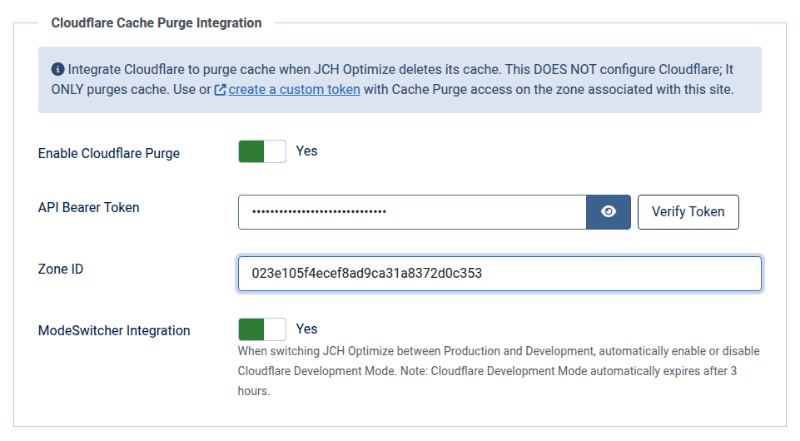
Joomla
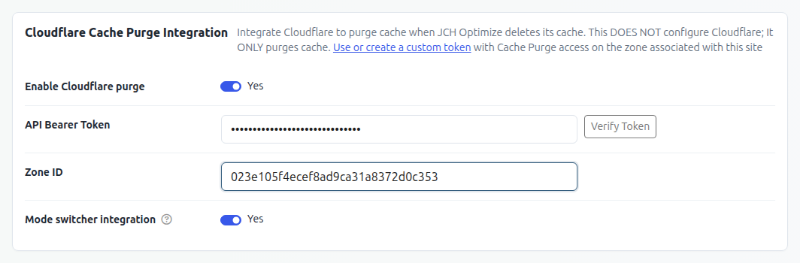
WordPress
With Mode switcher integration on, switching JCH Optimize to Development mode also switches on Cloudflare's Development Mode, which bypasses Cloudflare's cache. Cloudflare turns its Development Mode off by itself after three hours.
On This Page