
Chapter 3. Getting Started
A short tour of the dashboard, the few things to do before you change any setting, how to measure where your site starts from, and how to choose the way you will optimize it.
A Tour of the Dashboard
The dashboard is JCH Optimize's home page. Open it from:
- Joomla
-
→ →
- WordPress
-
→ →
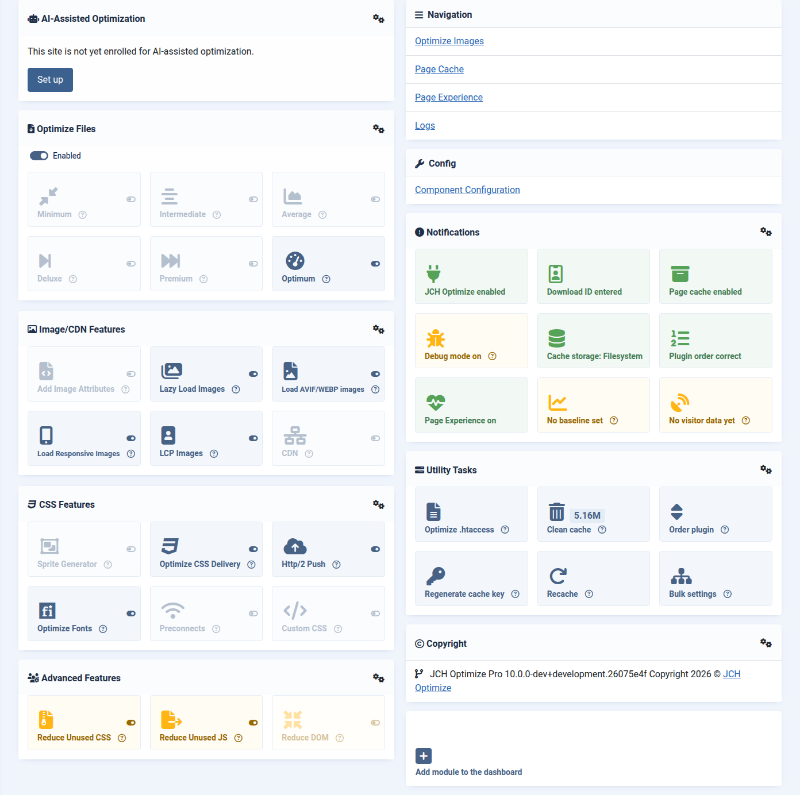
Joomla
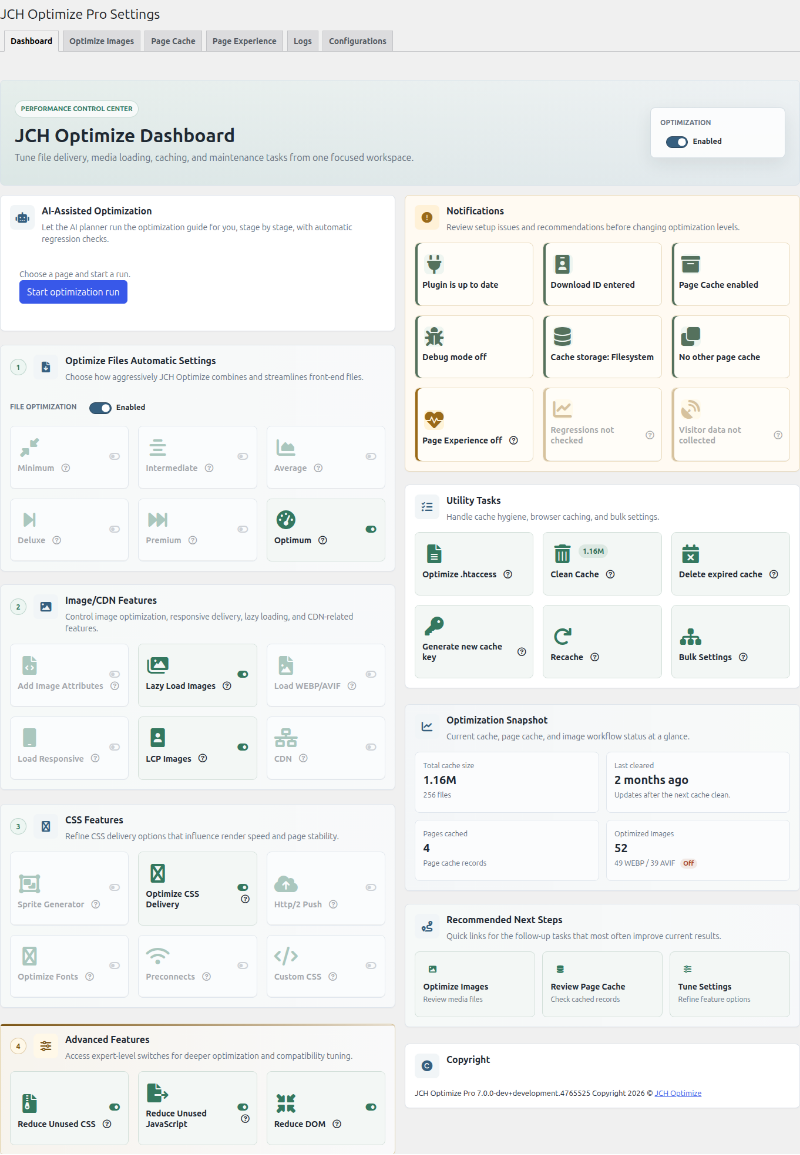
WordPress
The dashboard is made of panels. Each icon in a panel shows whether a feature is on (highlighted) or off, and clicking it switches the feature on or off. Hover over an icon to see what it does.
- AI-Assisted Optimization Pro
-
Shows where the AI-assisted optimization run stands, and opens the window where you start and follow one. See Chapter 5, The AI-Assisted Optimization Run.
- Optimize Files (Joomla) or Optimize Files Automatic Settings (WordPress)
-
Holds the six automatic settings, from to , and the switch for file optimization. On WordPress the Optimization switch at the top of the dashboard is a different one: it turns all optimization on or off (see the section called “Pause JCH Optimize While You Work on Your Site”).
- Image/CDN Features, CSS Features, Advanced Features
-
Switches for individual features, grouped in the order you will usually enable them. The Advanced Features icons are highlighted in a warning color because they are the most likely to need extra configuration.
- Notifications
-
At-a-glance status, such as whether JCH Optimize is enabled, whether the page cache is on and, on Joomla, whether your Download ID is entered.
- Utility Tasks
-
One-click jobs such as cleaning the cache, optimizing your
.htaccessfile and importing or exporting your settings.
Every panel and icon is described in the section called “The Dashboard”. Detailed settings live on a separate page:
- Joomla
-
Click in the toolbar of any JCH Optimize page.
- WordPress
-
Click the Configurations tab.
In this book, "the settings page" means either of these. Both are organized into the same tabs: General, Optimize Files, CSS, JavaScript, Page Cache, Media, Preloads, CDN, Optimize Images, Page Experience and Miscellaneous.
On This Page