
How JCH Optimize Works
Every time someone visits a page, your site builds the page's HTML (the text that describes the page) from your template or theme, your content and your extensions. Just before the page is sent to the visitor, JCH Optimize steps in:
-
It finds the CSS files (which control how the page looks) and the JavaScript files (which make it interactive), and replaces them with optimized copies that are smaller and arranged so they don't hold up the page.
-
It rewrites images so they load in the right order and size, and in modern formats when you have created them.
-
It adds hints that tell the browser what it will need first.
-
If page caching is on, it keeps a copy of the finished page and sends that copy to the next visitor instead of asking your site to build the page again.
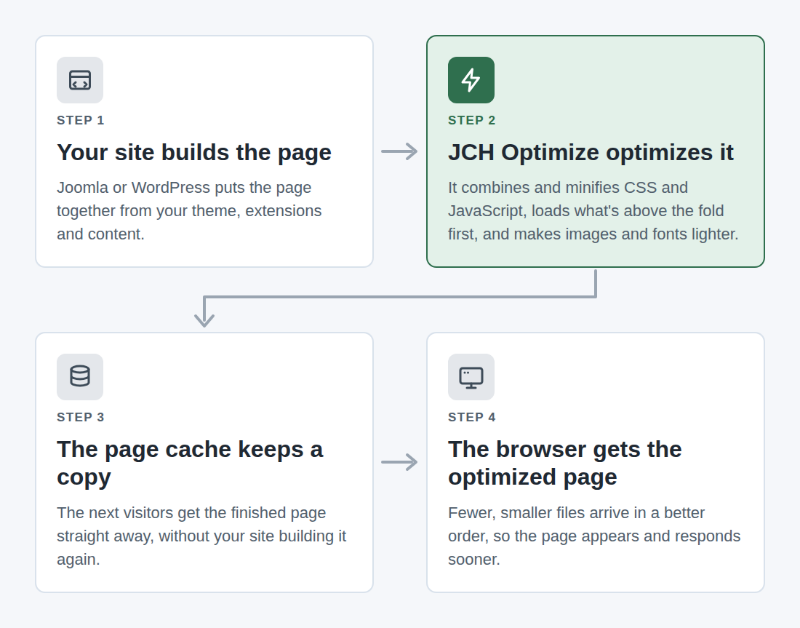
The optimized files are kept in JCH Optimize's own cache, so the work is done once and reused for every visitor. Nothing in your template, theme or extensions is changed, which means you can switch any optimization off at any time and your site goes straight back to how it was.
Tip
Because JCH Optimize works on the page your site produces, it works with almost any template, theme or page builder. When one of them does something unusual, you can tell JCH Optimize to leave a particular file, image or section alone. The tutorial shows you how.
On This Page