
The Page Cache Page
Lists the pages currently in the page cache, so you can see what is cached and clear individual pages.
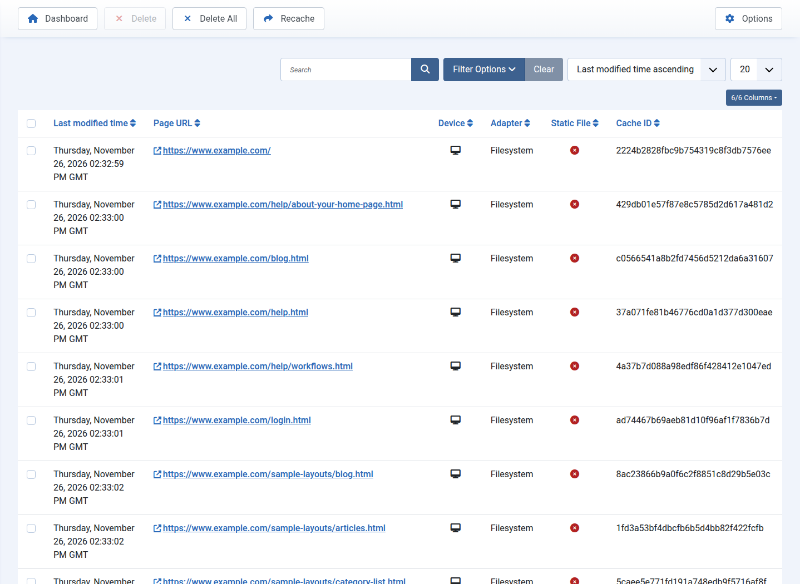
Joomla
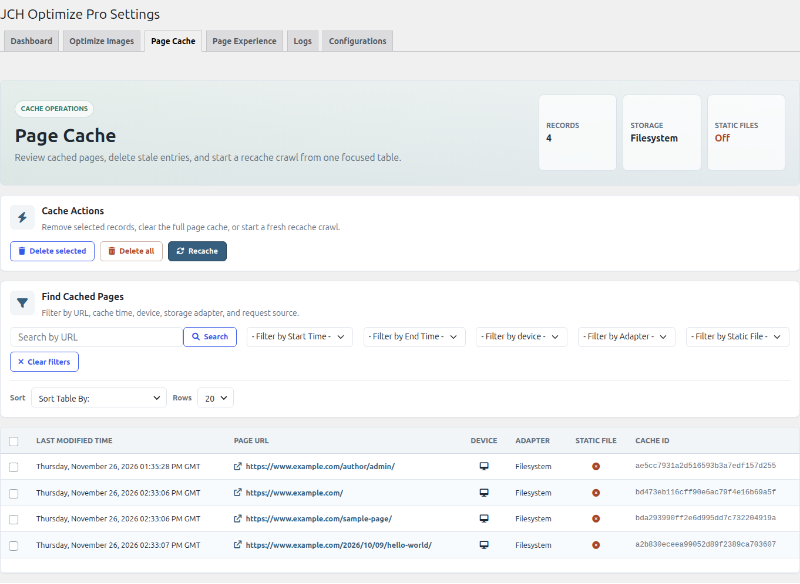
WordPress
- The list
-
Each cached page with its address, when it was cached, the device it was cached for (when Platform specific is on), the storage adapter, and whether it is also served as a static file (Static File). Click a column heading to sort.
- Filters
-
Search for part of an address, or show only pages cached before or after a time, for one device or adapter, or served without PHP.
- Toolbar
-
removes the selected pages from the cache; empties the page cache; (Pro) fills it again.
On WordPress, Editors, and other users given the jch_clear_page_cache capability
with a role editor plugin, can clear the page cache from
→ without access
to the settings.
Joomla On Joomla, user groups you give the Clear Cache permission can open this page and use its toolbar, without access to the dashboard or the settings. See the section called “Permissions Tab”.
Pro Another system can delete cached pages too, without anyone logging in. See the section called “Delete Cached Pages from Another System”.
On This Page