
The Settings Page
All of JCH Optimize's settings, organized into tabs. Each tab is divided into sections, and each setting has a help text; hover over its label (Joomla) or read the text below it (WordPress).
Figure 10.3. The settings page
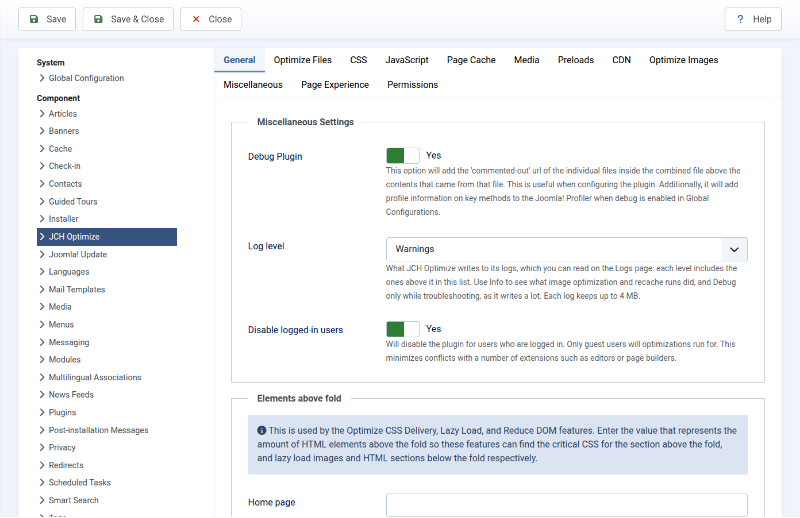
Joomla
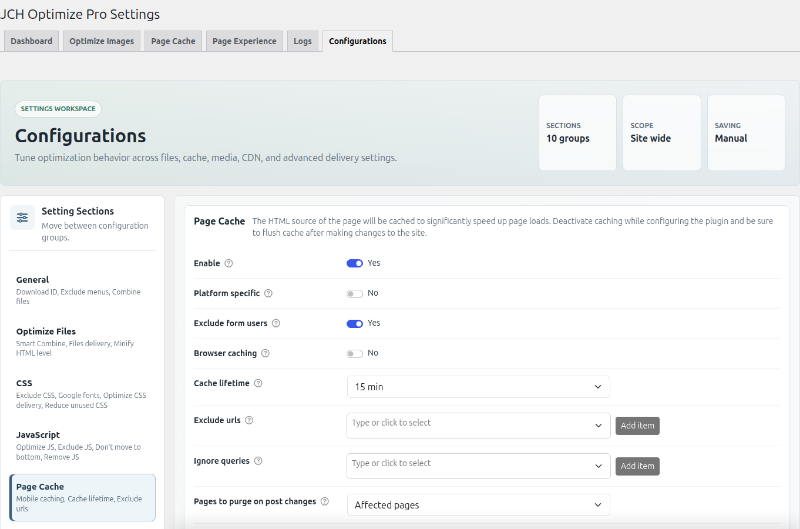
WordPress
Tabs on the settings page
Tab: General
What it contains: Debugging, elements above the fold, page exclusions, cache storage, Recache
Tab: Optimize Files
What it contains: Optimizing and combining CSS and JavaScript files, HTML minification
Tab: CSS
What it contains: CSS options, exclusions, Optimize CSS Delivery, Custom CSS
Tab: JavaScript
What it contains: JavaScript options, exclusions, Reduce Unused JavaScript
Tab: Page Cache
What it contains: Page caching, Cloudflare
Tab: Media
What it contains: Image attributes, Sprite Generator, lazy loading
Tab: Preloads
What it contains: HTTP/2 preload, LCP images, fonts, preconnects
Tab: CDN
What it contains: CDN domains
Tab: Optimize Images
What it contains: How images are optimized
Tab: Page Experience
What it contains: Real-user monitoring and alerts
Tab: Miscellaneous
What it contains: Reduce DOM, Mode Switcher
Tab: Permissions
What it contains: Which Joomla user groups can use JCH Optimize, and what they can do
Every setting is described in Chapter 11, Settings Reference.
On This Page